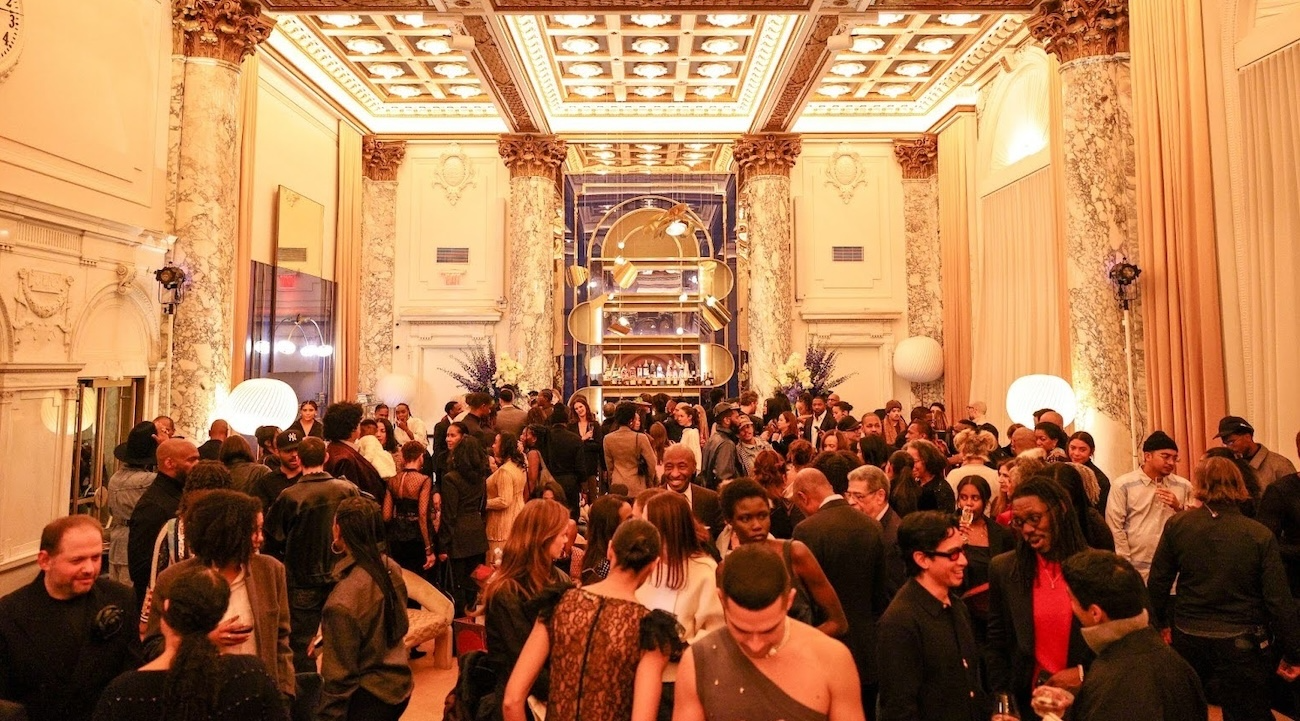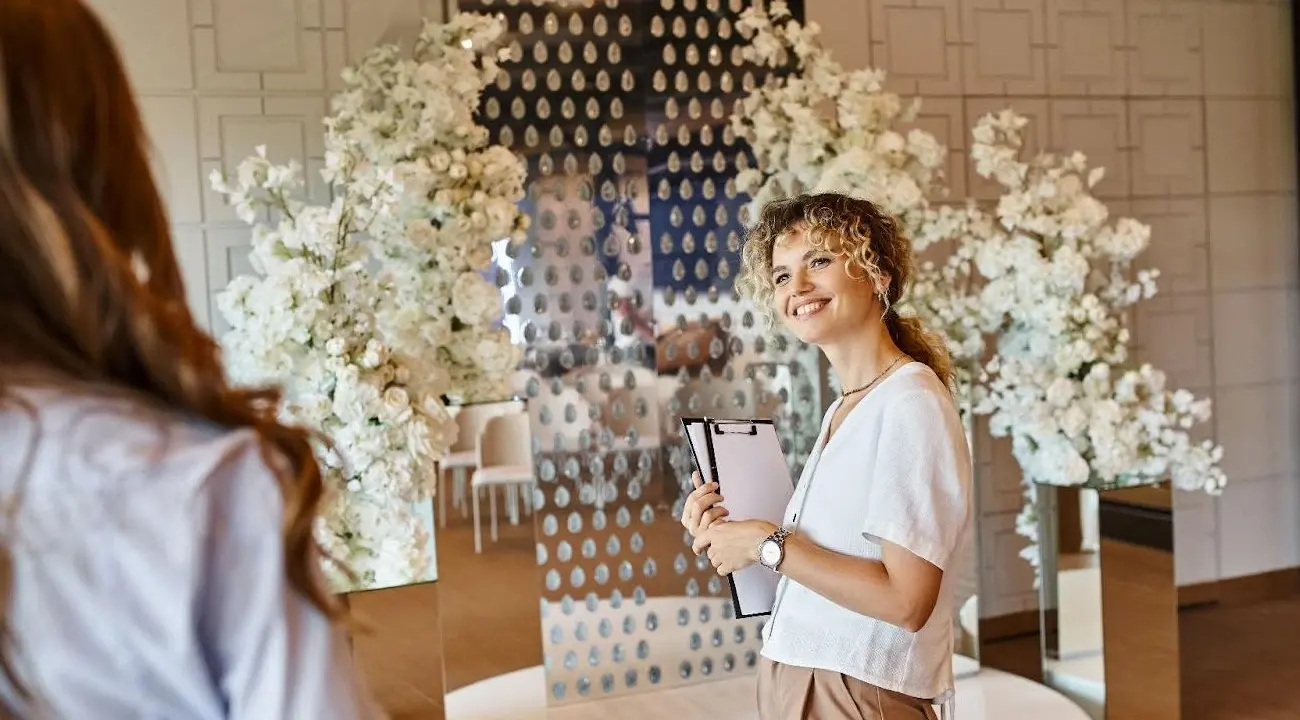
Invitation emails are the first glimpse guests will get of your event.
If you’re not a professional event planner or you’re new to the event-planning industry, designing and sending great invitation emails can seem like an overwhelming task. There’s a lot more to it than simply choosing colors, fonts, and images that make them look good.
You also have to:
- Give your invitations a voice and a brand identity
- Optimize them for accessibility on different devices
- Personalize them to encourage guests to want to RSVP
- And much, much more.
Not sure where to start?
Here’s our step-by-step guide to creating an invitation email that reads like a professional event planner’s.
What is an invitation email?
An invitation email is exactly what it sounds like: any email version of an invitation to an event, or any invitation sent via email.
In the event planning industry, the phrases “email invitation” and “invitation email” are used interchangeably.
Some invitations, like wedding invitations and formal invitations to government events hosting dignitaries, are often printed and mailed to invitees. But for most other types of events, email invitations have become the norm.
Don’t love the idea of sending email invitations only? Check out our Case Study with Cannes Film Festival to learn how the renowned film fest uses a hybrid invitation system, drawing from a stock of physical invites while sending most invites via email.
How to write an invitation email, step by step
If you’re ready to create invitation emails like a professional event planner, this 11-step guide takes you through the process from start to finish.
Include an attention-grabbing subject line
The first thing your invitees will see is the email subject line. Make it compelling and intriguing so they’re excited to click and open the invitation. With zkipster, you can use tags to include relevant event info and personalize the invite to the recipient, following email deliverability best practices.
Pro tip: Keep the subject line punchy and factual and avoid using words that might be flagged as spam. For example, “Ella, you’re invited to the XYZ Gala on October 5,” or “John, join us at Company XYZ’s annual corporate retreat on June 10.”

Add intriguing preview text
Your preview text should complement the subject line. Like the rest of the invite design, it should echo the event’s theme and level of formality.
Just keep it short and sweet. Preview text longer than 90 characters (including spaces) can get cut off on certain devices, and some email clients don’t display it. If you include a lengthy preview text, your guests may never even see it.
Pro tip: Choose your words wisely. For an upscale event or gala, consider using descriptors like “prestigious” or “exclusive.” For corporate events or industry events, consider including words like “innovative” or “interactive.”
Make the date, time, and location of the event clear
Date, time, and location are the most important event details and should be clear, concise, easy to read, and easy to locate. With zkipster, you can use tags to automatically populate this information.
In addition to event details, be sure to include all the relevant information and answer all questions a guest might ask, such as:
- Is the event free to attend?
- Is there a cost involved?
- What is the dress code?
- What is the event’s theme and/or goal? (i.e., fundraising gala, conference with different speakers)
Pro tip: No matter where you include date, time, and location details in the invite, they should be obvious. Don’t make attendees search for these important details.
Make the invitation visually appealing
Make the invitation visually interesting by choosing a clean, modern layout. This allows for easy readability.
Use fonts, colors, and images that complement your brand and encourage guests to RSVP as soon as possible. Be sure to factor in any sponsor commitments you’ve made and include their logos and information when necessary.
Pro tip: Give the event instant brand identity by including a style logo that echoes the event’s aesthetic and goals.
Personalize your invitations
Whether you’re sending a corporate meeting invitation or a party invitation, personalize your invites by addressing them with each recipient’s name. You can even send different invitations to different segments of your guest list to add extra personal touches for VIPs, sponsors, or the general public.
If guests are invited with a plus one, you can address the invitation to “Name + guest,” or you can cover this detail in the RSVP. You can also use zkipster Guest Relationships or the CC and BCC function to send invitations to related guests. For high-profile guests, CC’ing related guests helps ensure your invites are seen and responded to.
You can also add personal sign-offs. For example, sales assistants at luxury boutiques can personally invite their best clients to a private sale. Nonprofit development teams can invite individual donors they’re cultivating. Sponsors, trustees, or committee members can invite their personal contacts to a gala they’re sponsoring with a personal sign-off, such as “I look forward to seeing you at the event.”
Pro tip: Use Event Communications and Audience to create personalized, customized email invitations for every upcoming event. Through the zkipster platform, you can also segment and create different guest lists within your master guest list, making it easy to create suitable communications for each guest list.

Highlight key speakers, presenters, and entertainers
Let your invitees know whether any special guests or entertainers are scheduled to attend, perform, or present. This is a great way to get people excited to attend galas, charity events, nonprofit fundraisers, and corporate networking opportunities.
For sales events and new product launches, consider teasing information about giveaways or perks. For socials, corporate events or galas, consider including the complete schedule of events, such as:
- 6:00 p.m. - arrival
- 6:30 p.m. - cocktail reception
- 7:00 p.m. - dinner service and performances
- 8:30 p.m. - charity auction
- 9:00 p.m. - dancing
- 12:00 a.m. - send-off and carriages
- Visit [youreventwebsite.com] for full event details
Pro tip: Never include the name of a guest or speaker unless they’re already under contract to attend your event. The last thing you want is 1,000 attendees showing up to see someone who won’t be there. If performers and speakers are unconfirmed, it’s better to tease event details to build anticipation. Rather than listing specific entertainers, include a general statement such as “Exclusive performance from a very special guest — watch this space for announcements.”
Use a consistent voice
From your invitations to your follow-up communications, be consistent with your brand voice and give the event an identity that aligns with your event goals and brand. For luxury events, galas, and corporate events, use formal language. For casual gatherings, use welcoming, informal language.
Pro tip: Make sure your subject line and preview text match the invitation’s tone of voice.
Include an RSVP now link
A clear call to action is a must. Including a CTA such as “RSVP now,” or “purchase tickets now,” or “reserve your seat now” creates a sense of urgency and encourages guests to RSVP or sign up immediately.
You can also emphasize that there are only a limited number of spaces available, or offer early-bird pricing for a limited time, or note that RSVPs close at a certain time.
Pro tip: At the bottom of your invite, include a footer section with contact information or a “contact us” button, since some people may want specific questions answered before they click to RSVP.
Include social proof
Social proof isn’t a key element for ultra-exclusive events that guests look forward to attending every year.
But social proof in the form of quotes from prior event attendees, imagery from past events, or a link to a photo gallery or webpage from your last event can be a great way to get people excited for events like corporate conferences, corporate retreats, and industry networking events that people may be on the fence about attending.
Pro tip: Utilize quotes and testimonials from your most prominent previous guests and industry leaders to encourage the most engagement.
Optimize your invitations for mobile devices
It’s not enough to have your invitations look great on a laptop or a desktop computer screen. To increase open rates, you’ll have to optimize them for mobile devices so that they look and function just as well on phones and tablets.
That includes putting the most important information towards the top of the invitation (aka “above the fold”), so invitees don’t have to scroll far to learn the most relevant details.
To ensure invitations are properly optimized, send test invite emails to yourself and your colleagues. Or, consider using previewing tools like Email on Acid or Litmus to ensure your email invitations are optimized across different devices and email clients.
Keep in mind that email rendering issues may cause your invitations to appear differently on various devices, browsers, and operating systems.
Pro tip: When designing invitation layouts, place links and RSVP buttons in the center of the page so that people viewing the invitation on their phones can easily thumb-tap to reply. In addition to including an RSVP button, zkipster allows you to add multiple buttons to email invites to provide additional information, link to different forms, or direct invitees to the event web page.

Double-check your sending email domain
Don’t let your invitations end up in the spam folder. One way to prevent your event invitations from being flagged as spam is to send them from a trusted sender email address rather than from a generic email that’s not associated with your brand.
Pro tip: Use a platform like zkipster that allows for domain whitelabeling. That way, your invitations will look like they’re coming straight from you, even though we’re sending them.
Invitation email templates you can use for your next event
Want to see how the experts design email invitations?
Professional event planners around the world use zkipster Enterprise-level templates to create striking invitations that encourage guests to RSVP.
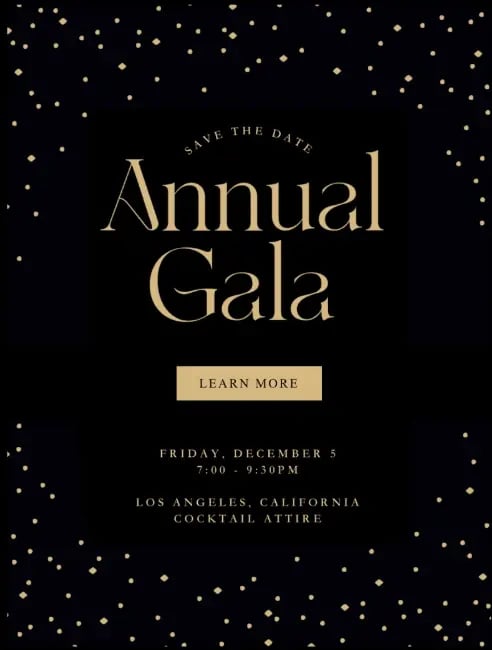
Gala: nonprofit save-the-date
|
Design elements |
Background: Black/dark navy with decorative pattern of scattered gold champagne dots Typography: Serif font for event name, sans-serif for details Color scheme: Gold text on black background |
|
Save the date email |
[Subject line]: Save the Date: December 5th Annual Gala
[Email header]: SAVE THE DATE: Annual Gala December 5th [Event name]: Annual Gala [CTA button]: LEARN MORE [Date]: Friday, December 5 [Time]: 7:00 - 9:30PM
[Location]: Los Angeles, California [Dress code]: Cocktail Attire |
Social event: dinner party and exhibit
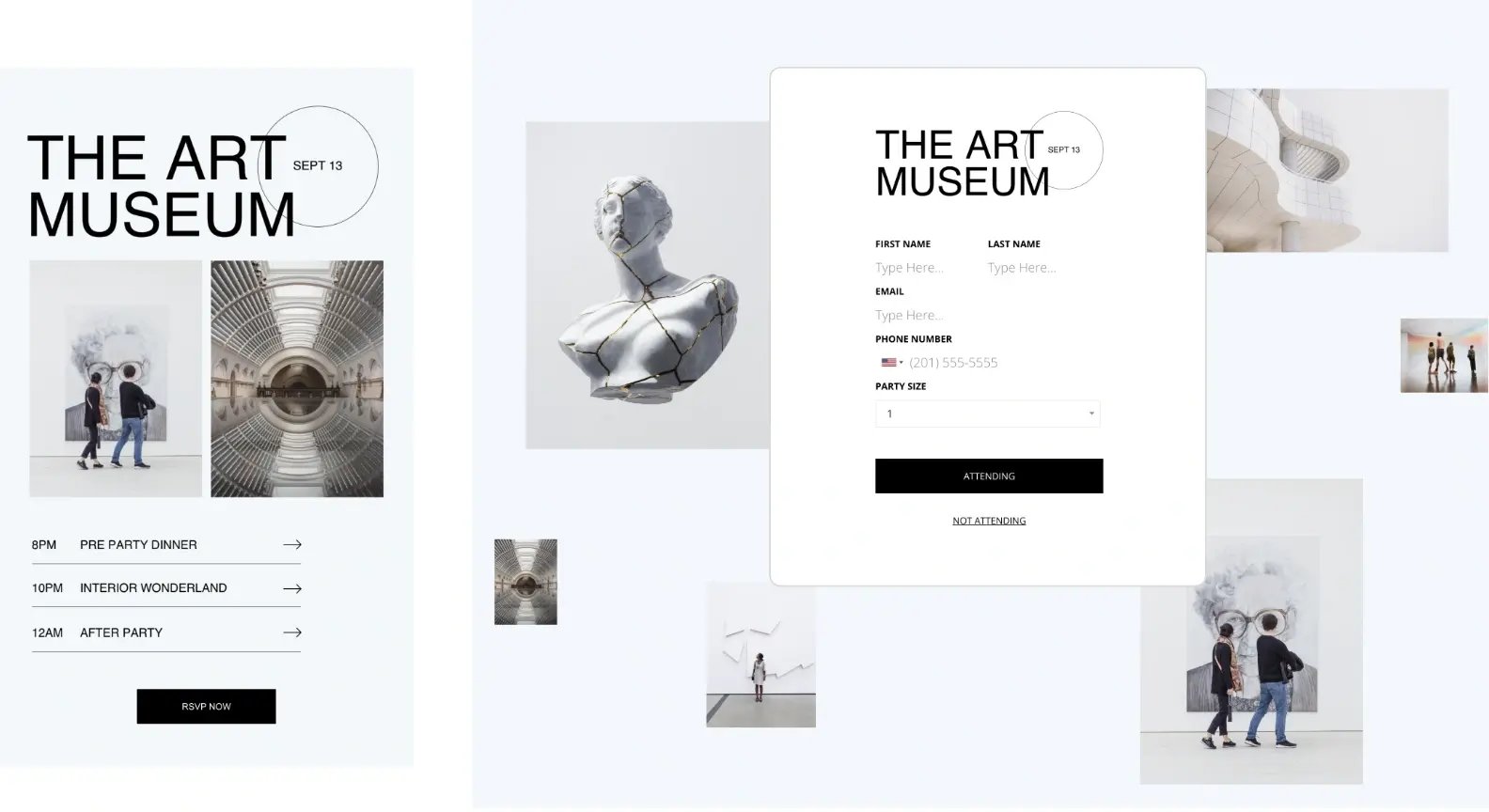
|
Design elements |
Background color: Light blue Hero images: Contemporary art gallery photography (sculpture, architecture, visitors) Typography: Bold modern sans-serif for event name, clean sans-serif for details Color scheme: Black text and buttons on light blue background; white form Accent detail: Circle element behind date badge Layout: Minimalist museum aesthetic with ample white space |
|
Invitation email |
[Subject line]: You’re invited to an exclusive evening at The Art Museum [Email preview text]: Join us for a night of art, dinner, and revelry [Event name]: THE ART MUSEUM [Date badge]: SEPT 13 [Hero images]: Two gallery photos (visitors viewing art, architectural installation) [Event schedule]: 8PM PRE PARTY DINNER → 10PM INTERIOR WONDERLAND → 12AM AFTER PARTY → [CTA button]: RSVP NOW |
|
Response form |
[Event name]: THE ART MUSEUM [Date]: SEPT 13 [Form fields]: FIRST NAME: [Type Here...] LAST NAME: [Type Here...] EMAIL: [Type Here...] PHONE NUMBER: [Country flag dropdown] (XXX) XXX-XXXX PARTY SIZE: [Dropdown showing: 1] [CTA buttons]: - ATTENDING - NOT ATTENDING |
Launch party: hospitality
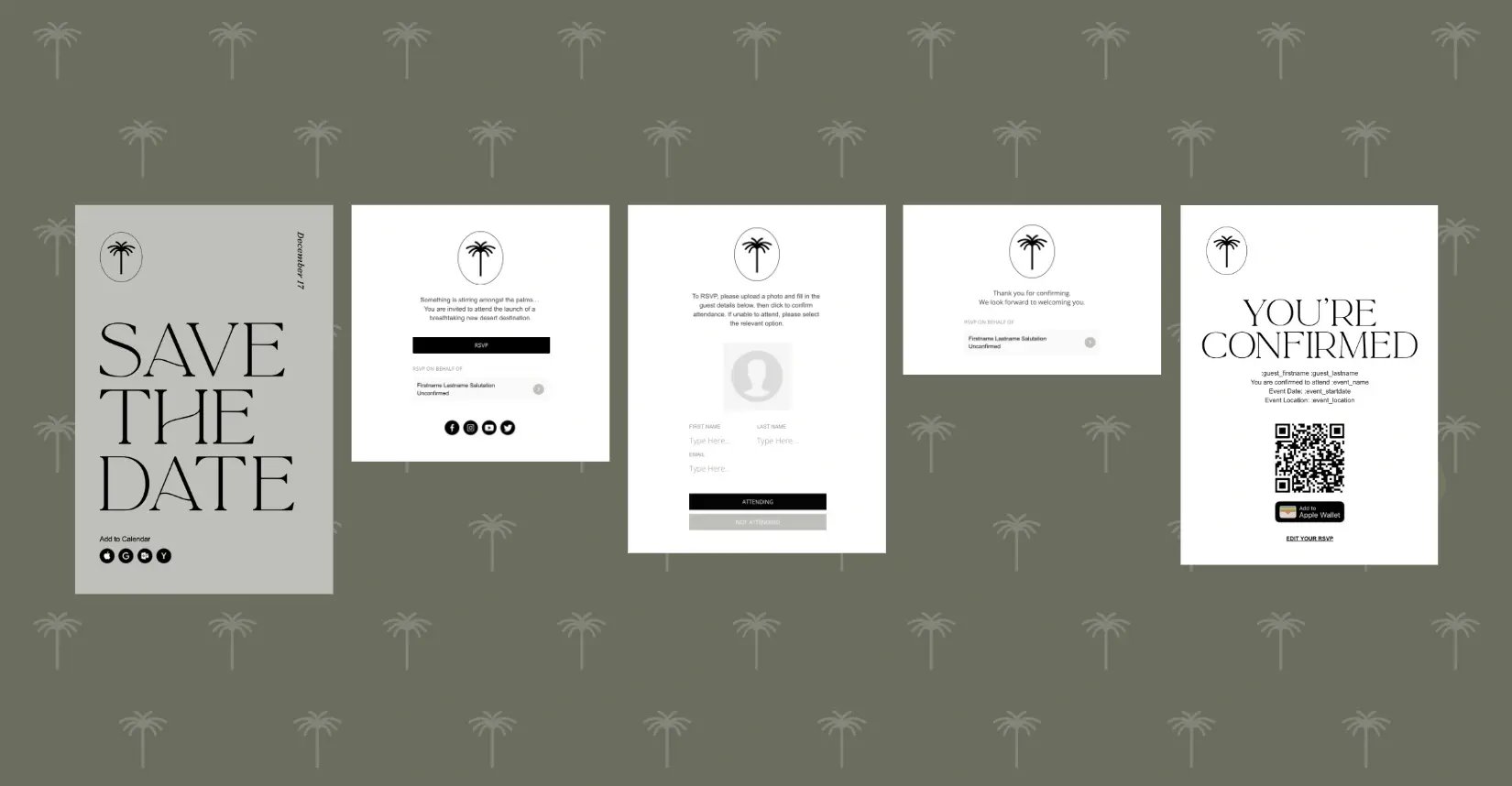
|
Design elements |
Background pattern: Custom palm tree icon Color scheme: Olive green with taupe and cream accents Typography: Serif font for headers, sans-serif for body text Dynamic tags: :guest_firstname, :guest_lastname, :event_name, :event_date, :event_time, :event_location |
|
Invitation email/save-the-date |
[Subject line]: Save the Date: October 1 Launch Party [Email preview text]: Be among the first to experience our breathtaking desert retreat [Email header]: SAVE THE DATE [Brand logo]: Palm tree icon [Event tagline]: At the palms [CTA link]: Add to Calendar [Social icons]: Facebook, X/Twitter, Instagram, TikTok |
|
Response form |
[Form landing page message]: Something is stirring amongst the palms... You are invited to attend the launch of a breathtaking new desert destination. [CTA button]: RSVP [RSVP on behalf of option]: Firstname Lastname Salutation Unconfirmed [Social icons]: Facebook, X/Twitter, Instagram, TikTok [Form message]: To RSVP, please upload a photo and fill in the guest details below, then click to confirm attendance. If unable to attend, please select the relevant option. [Photo upload field]: Guest Photo Response Field [Guest information fields]: First Name: [Type here...] Last Name: [Type here...] Email: [Type here...] [CTA buttons]: - ATTENDING - NOT ATTENDING [Success message]: Thank you for confirming. We look forward to welcoming you. [RSVP on behalf of option]: Firstname Lastname Salutation Unconfirmed |
|
Confirmation email |
[Subject line]: You're Confirmed: Desert Retreat Launch Party October 1 [Email header]: YOU'RE CONFIRMED [Confirmation details]: :guest_firstname :guest_lastname You are confirmed to attend :event_name Event Date: :event_startdate Event Location: :event_location [Check-in QR code]: QR code for event check-in [Digital wallet button]: Add to Wallet [Footer CTA]: EDIT YOUR RSVP |
Product launch: cosmetics
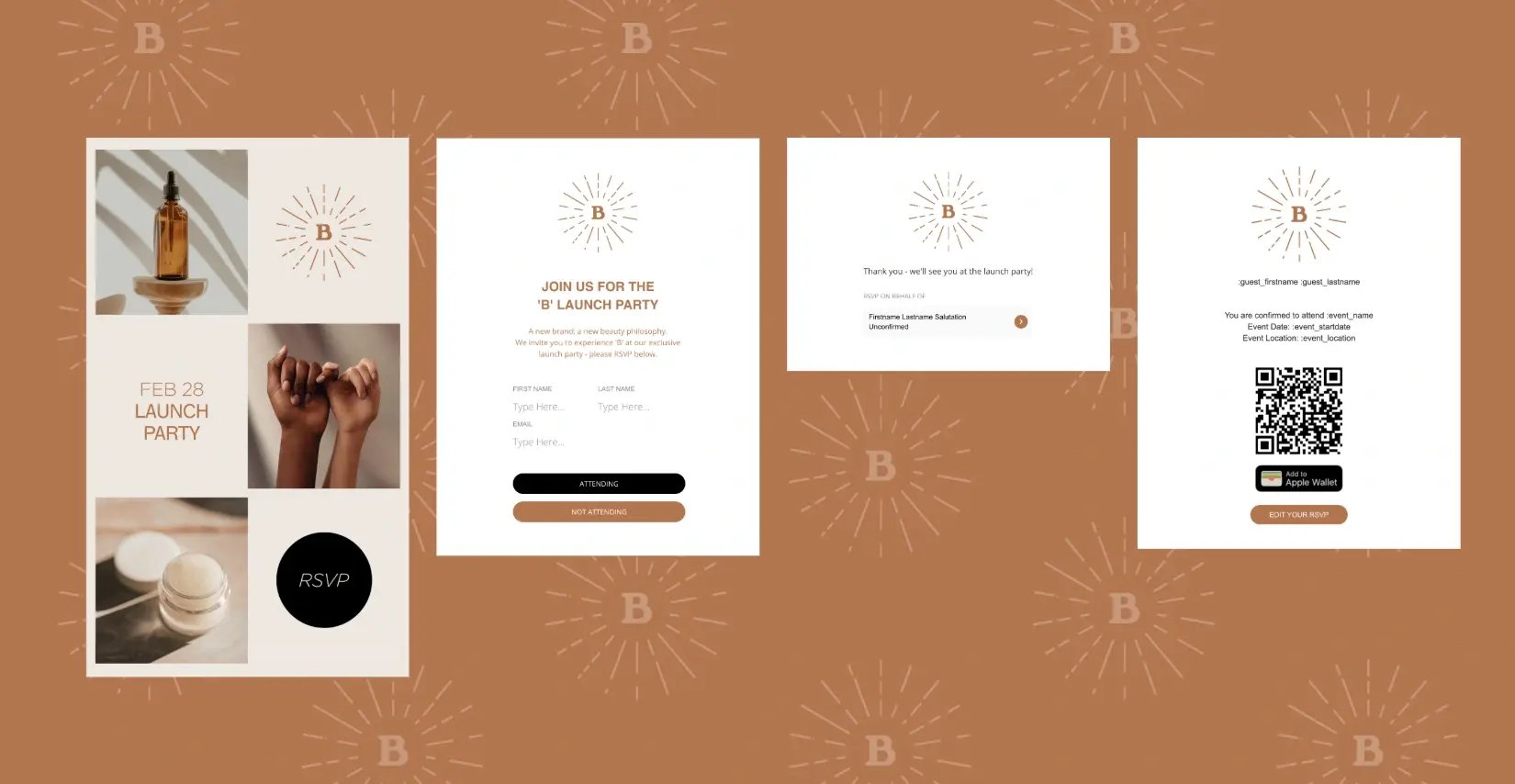
|
Design elements |
Background: Copper Background pattern: Repeating "B" logo with sunburst radiating lines Typography: Clean sans-serif, warm copper tones for text Color scheme: Copper, cream, and black tones Product photography: Minimalist beauty product shots with neutral tones Button styles: Black for primary action (ATTENDING), copper/brown for secondary (NOT ATTENDING, EDIT YOUR RSVP) Dynamic tags: :guest_firstname, :guest_lastname, :event_name, :event_startdate, :event_location |
|
Invitation email |
[Subject line]: You’re invited to our exclusive launch party [Email preview text]: Discover a revolutionary new beauty philosophy - February 28th [Event details]: FEB 28 LAUNCH PARTY [CTA button]: RSVP |
|
Response form |
[Event header]: JOIN US FOR THE 'B' LAUNCH PARTY [Event description]: A new brand, a new beauty philosophy. We invite you to experience 'B' at our exclusive launch party - please RSVP below. [Form fields]: FIRST NAME: [Type Here...] LAST NAME: [Type Here...] EMAIL: [Type Here...] [CTA buttons]: - ATTENDING - NOT ATTENDING |
|
Form success page |
[Success message]: Thank you - we'll see you at the launch party! [RSVP on behalf of field]: Firstname Lastname Salutation Unconfirmed |
|
Confirmation email |
[Recipient]: :guest_firstname :guest_lastname [Confirmation message]: You are confirmed to attend :event_name Event Date: :event_startdate Event Location: :event_location [Check-in QR code]: QR code for event check-in [Digital wallet button]: Add to Wallet [CTA button]: EDIT YOUR RSVP |
Corporate networking conference
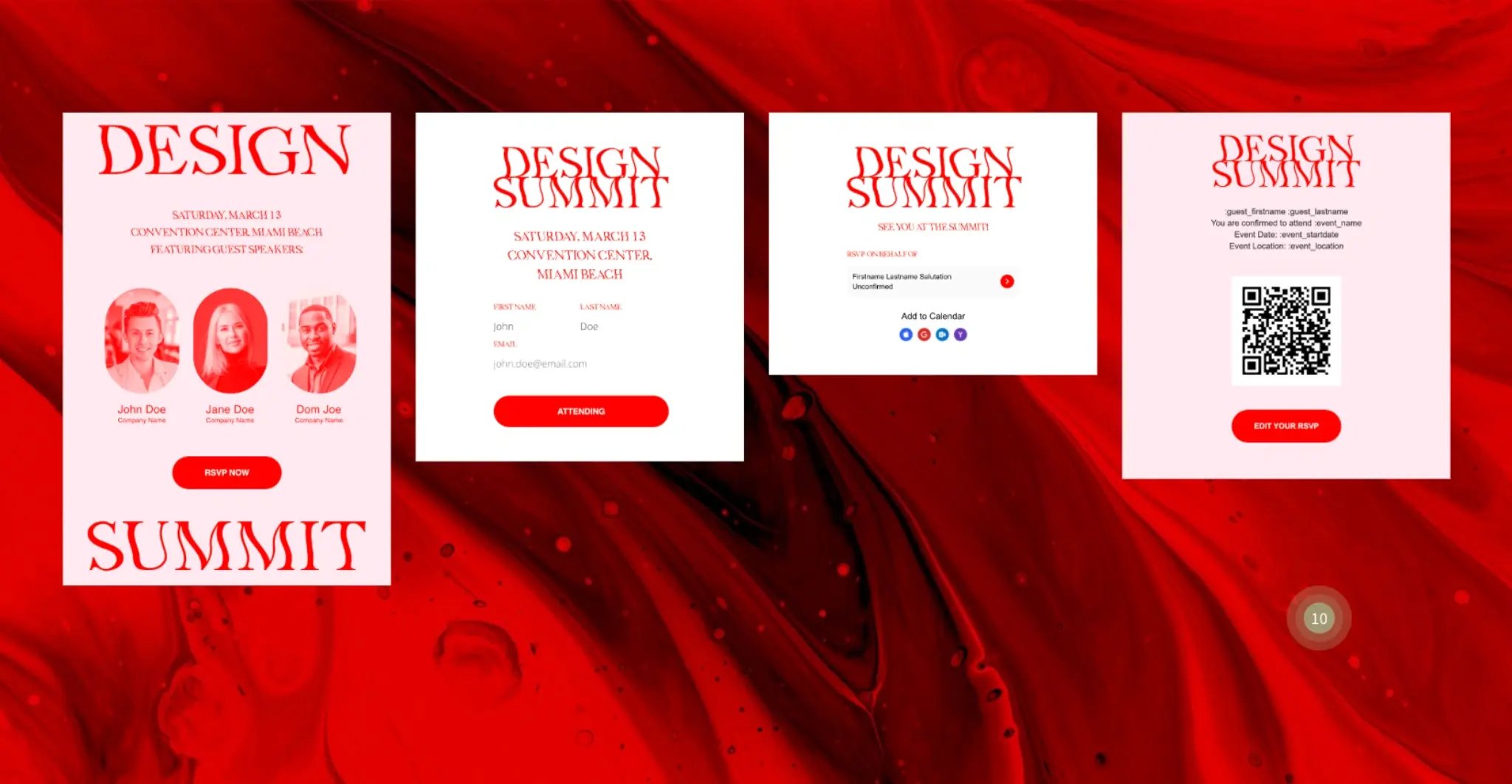
|
Design elements |
Background: Bright red with marbled effect Typography: Red serif with distorted watery effect Color scheme: Bright red, pale pink and white with red buttons Speaker photography: Headshots with red filter applied Dynamic tags: :guest_firstname, :guest_lastname, :event_name, :event_startdate, :event_location |
|
Invitation email |
[Subject line]: Don’t miss Design Summit Miami [Email preview text]: Network with design’s top innovators in Miami on March 13th [Event name]: DESIGN SUMMIT [Date]: SATURDAY, MARCH 13 [Location]: CONVENTION CENTER MIAMI BEACH [Subheading]: FEATURING GUEST SPEAKERS [Featured speakers]: - John Doe (Company Name) - Jane Doe (Company Name) - Dom Joe (Company Name) [CTA button]: RSVP NOW |
|
Response form |
[Event name]: DESIGN SUMMIT [Date]: SATURDAY, MARCH 13 [Location]: CONVENTION CENTER, MIAMI BEACH [Form fields]: FIRST NAME: LAST NAME: EMAIL: [CTA button]: ATTENDING |
|
Form success page |
[Event name]: DESIGN SUMMIT [Success message]: SEE YOU AT THE SUMMIT! [RSVP on behalf of field]: Firstname Lastname Salutation Unconfirmed [Calendar options]: Add to Calendar with clickable icons |
|
Confirmation email |
[Recipient]: :guest_firstname :guest_lastname [Confirmation message]: You are confirmed to attend :event_name Event Date: :event_startdate Event Location: :event_location [Check-in QR code]: QR code for event check-in [Digital wallet button]: Add to Wallet [CTA button]: EDIT YOUR RSVP |
Use these templates as a reference when building your own invitations. You can use zkipster’s email composer to customize every section: add images, buttons, and text, rearrange sections by dragging them into place, and duplicate any elements you need.
The specific design choices matter, but clear communication matters more. Guests need to know what the event is, when it happens, where to go, and how to RSVP. Adjust the layout and fields based on what information you actually need to collect. Also, keep the invitation clear and make it easy for guests to confirm their attendance.
Once you’ve sent your email invitations, consider sending a follow-up reminder email to those who haven’t yet RSVP’d. It’s always possible that a guest overlooked your original invitation or plans to attend but forgot to respond.