IN-PERSON PAYMENTS
Tap to Pay on iPhone
Accept physical debit and credit cards as well as Apple Pay and other digital wallets. Right on your iPhone.
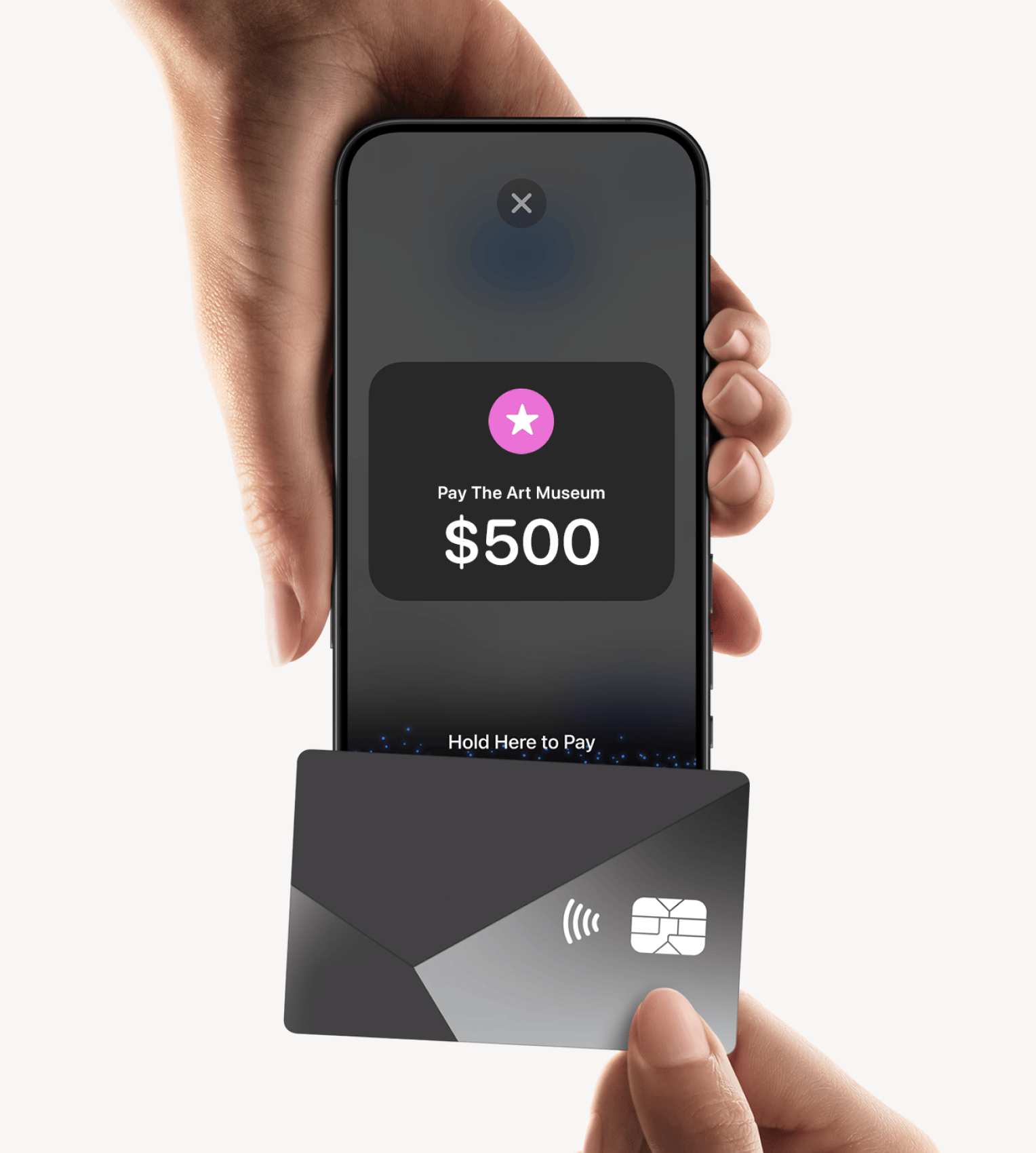
With Tap to Pay on iPhone and the zkipster app, you can accept all types of in-person, contactless payments right on your iPhone—from physical debit and credit cards to Apple Pay and other digital wallets—no extra terminals or hardware needed. It's easy, secure, and private.

How to use
Accepting payments is easy.
-
1
Open the zkipster app on your iPhone, select a guest and tap to create a new payment.
-
2
Present your iPhone to the guest.
-
3
Your guest holds their card horizontally at the top of your iPhone, over the contactless symbol for a few seconds.
-
4
When you see the Done checkmark, the card read is complete and the transaction is being processed.
REACH NEW CUSTOMERS
With Tap to Pay on iPhone, you can accept all types of in-person, contactless payments right on your iPhone so you can reach more customers, take payments on the go, and explore new setups, like line busting.

NO ADDITIONAL HARDWARE REQUIRED
With Tap to Pay on iPhone, you can accept in-person, contactless payments right on your iPhone. So there's no need for additional card readers and terminals. All you need is your iPhone and the zkipster app.
DESIGNED TO BE SECURE
Apple doesn't store card numbers on Apple servers, helping protect your business and customer data.
WHAT YOU NEED
TERMS
Tap to Pay on iPhone Requirements
Tap to Pay on iPhone requires a supported payment app and the latest version of iOS. Update to the latest version by going to Settings > General > Software Update. Tap Download and Install. Some contactless cards may not be accepted by your payment app. Transaction limits may apply. The Contactless Symbol is a trademark owned by and used with permission of EMVCo, LLC. Tap to Pay on iPhone is not available in all markets. For Tap to Pay on iPhone countries and regions, see https://developer.apple.com/tap-to-pay/regions/.
Tap to Pay on iPhone Encryption and Storage
Encrypted card numbers are temporarily stored on iPhone only for transactions made in Store and Forward mode.
Apple Pay is a service provided by Apple Payments Services LLC, a subsidiary of Apple Inc. Neither Apple Inc. nor Apple Payments Services LLC is a bank. Any card used in Apple Pay is offered by the card issuer.