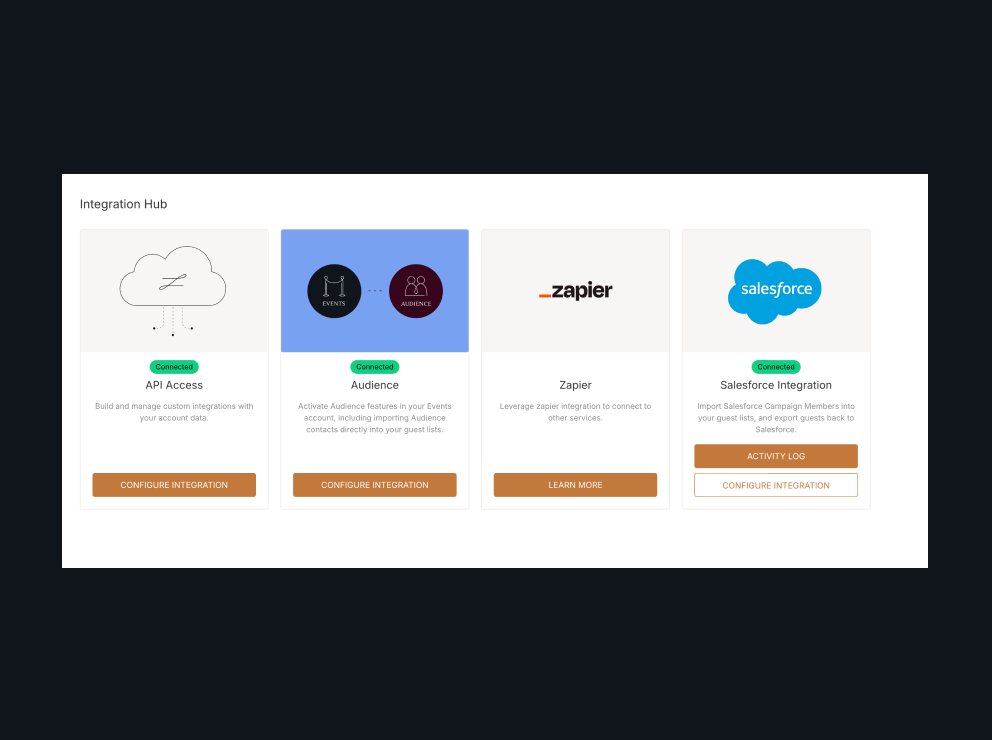
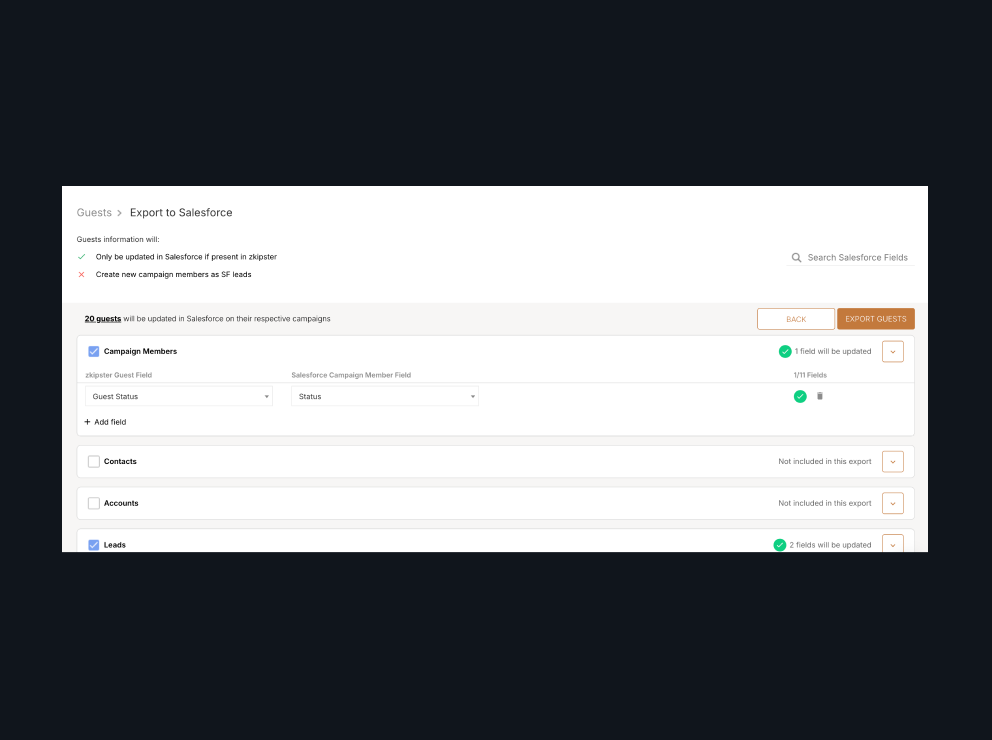
Yes. The zkipster integration for Salesforce imports Campaign Members from a Salesforce Campaign into your event guest lists, then sends RSVPs, check-ins and walk-in guests back to Salesforce. It's set up in the zkipster Integration Hub, with nothing to install in Salesforce.
Salesforce integration
Connect Salesforce Campaigns to zkipster Events
Bring Campaign Members into an event guest list, manage RSVPs, seating and check-in, then send attendance back to Salesforce so your relationships and reports stay up to date. It all runs in zkipster Events, with nothing to install in Salesforce.
FROM CAMPAIGNS TO EVENTS
zkipster event management software integrates with Salesforce Campaigns, so your guest lists can begin and end in your CRM, with no spreadsheets in between.
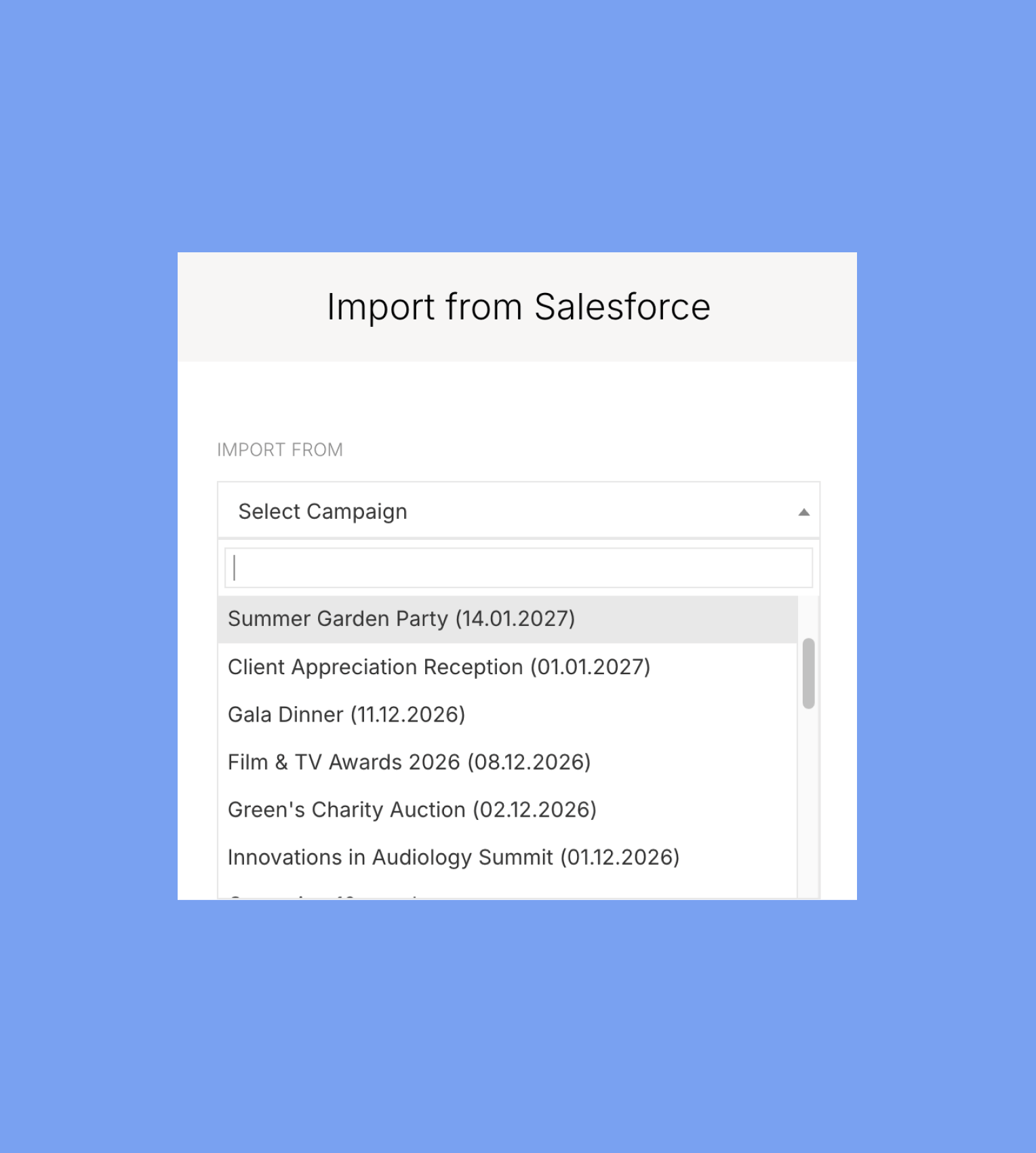
Select a Salesforce Campaign and import every member, or only those with the Campaign Member statuses you choose. Map Salesforce Campaign Member, Contact and Lead fields to zkipster guest fields. Add to an existing guest list, or create a new one.
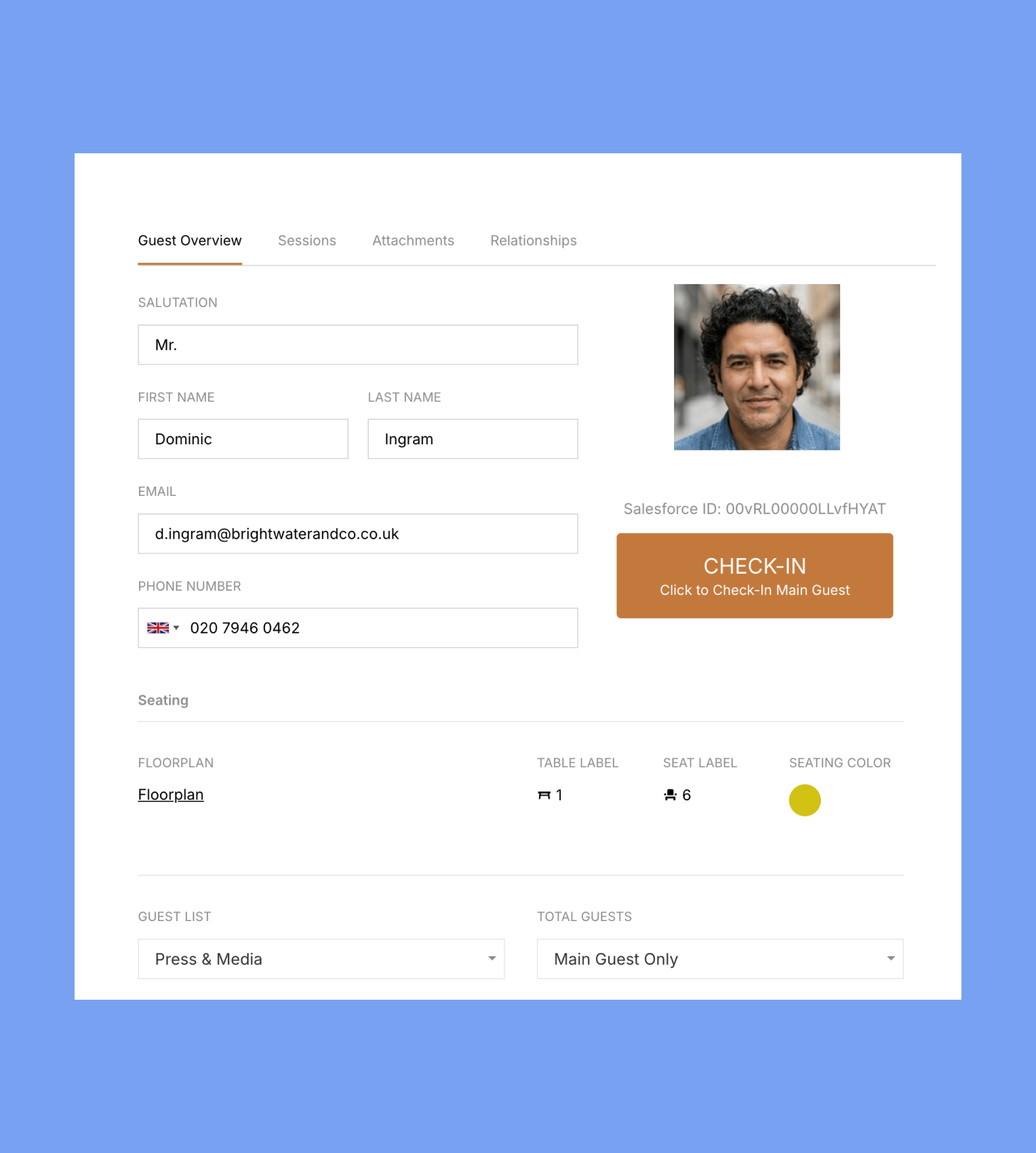
Send invitations, track RSVPs and registrations, create seating charts and check guests in on the day with the zkipster event check-in app. Every imported guest keeps a link to their Salesforce record, and guests you add in zkipster can be created as new Leads in your Campaign when you export.
When you're ready, export guests to Salesforce and choose exactly which fields to update. Set up Campaign Member statuses that match zkipster's and you'll see which guests were Unconfirmed, Confirmed, Declined or Checked-in.
Your Salesforce admin handles the initial setup, then it's over to you and your events team.

NOTHING TO INSTALL
No package or custom objects are added to your org. The only addition is one optional Lead field, used when you export guests added in zkipster.

TWO WAYS TO CONNECT
Sign in with OAuth 2.0, or connect a Salesforce Integration User with JWT, so there's no need to buy an extra Salesforce license.

TEST IN A SANDBOX
Connect a Salesforce sandbox, try the integration with a test event, then switch to production.

YOU CONTROL THE CHANGES
Imports and exports run only when a team member actions them. Empty values in zkipster never overwrite Salesforce data, and the integration never deletes records.

EVERY RUN IS LOGGED
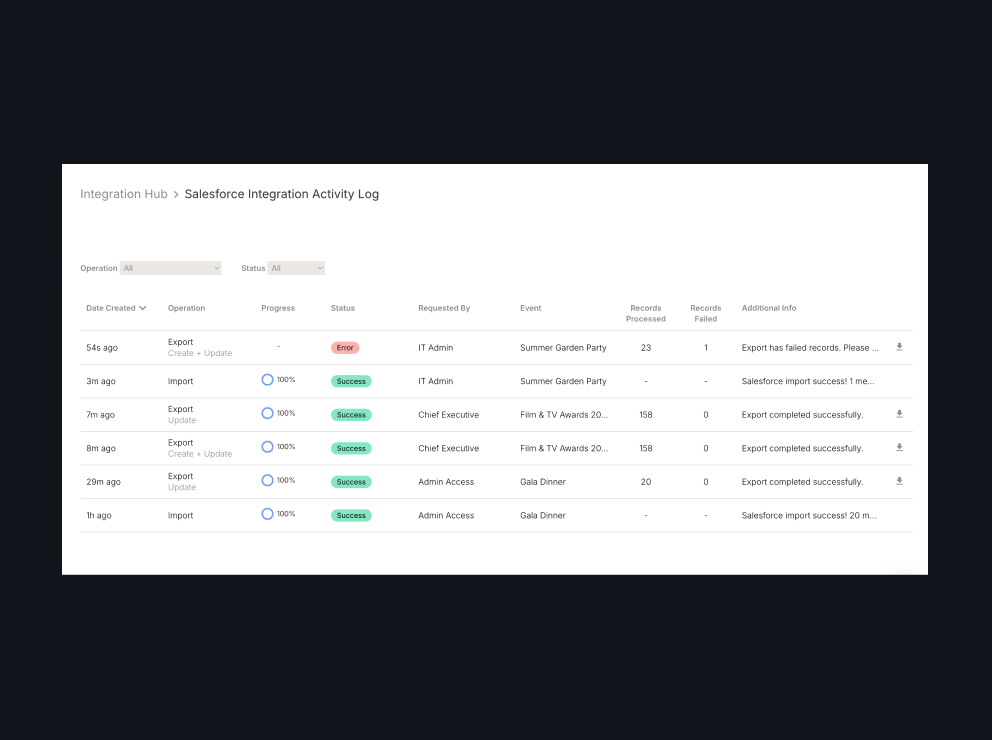
The Activity Log shows who ran each import and export, and every export has a downloadable report listing the reason for any record rejected by Salesforce.

NO NEED TO WAIT
Imports and exports run in the background, with an email letting you know when they're complete. Exports never lock an event, so your team can keep working while they run.
What you'll need
zkipster Events
A Professional Annual or Enterprise plan with the Integration Hub Connector add-on.
Salesforce
Enterprise, Performance, Unlimited or Developer edition, or Professional edition with Salesforce's API add-on.
Salesforce is a trademark of Salesforce, Inc.