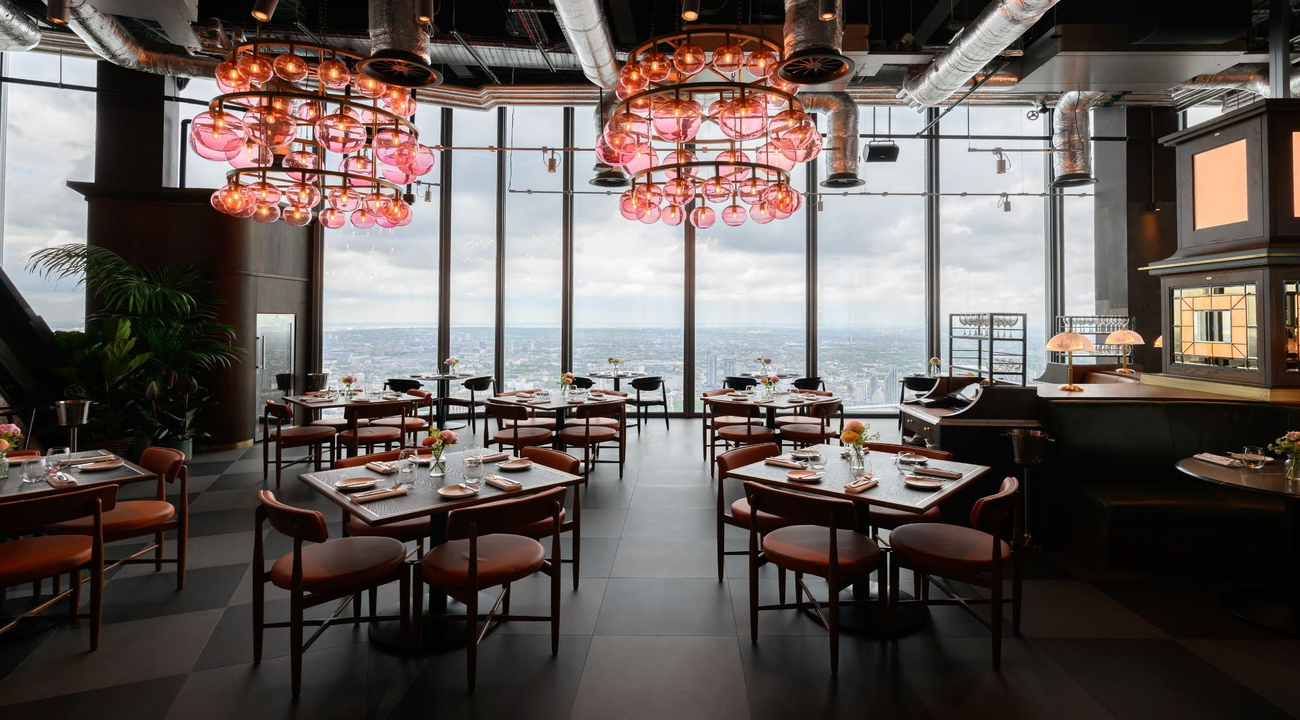
Sustainability matters, but it’s not the only reason the event planning industry is shifting towards paperless planning.
Globally, event industry professionals have recognized the need to make the event industry more eco-friendly. And in the process of trying to reduce waste to become more environmentally friendly, many have realized that going paperless has many added benefits beyond sustainability.
With digital invites replacing physical invitations, digital seating charts replacing floorplans and printed paper guest lists, and digital communications streamlining guest registrations and RSVPs, top event planners know that going paperless cuts costs, saves time, and improves the guest experience. For many event teams, the paperless approach has become an ideal solution that solves multiple problems at once.
Ready to learn how moving away from printed materials can benefit your event team?
Here’s how to go paperless at events.
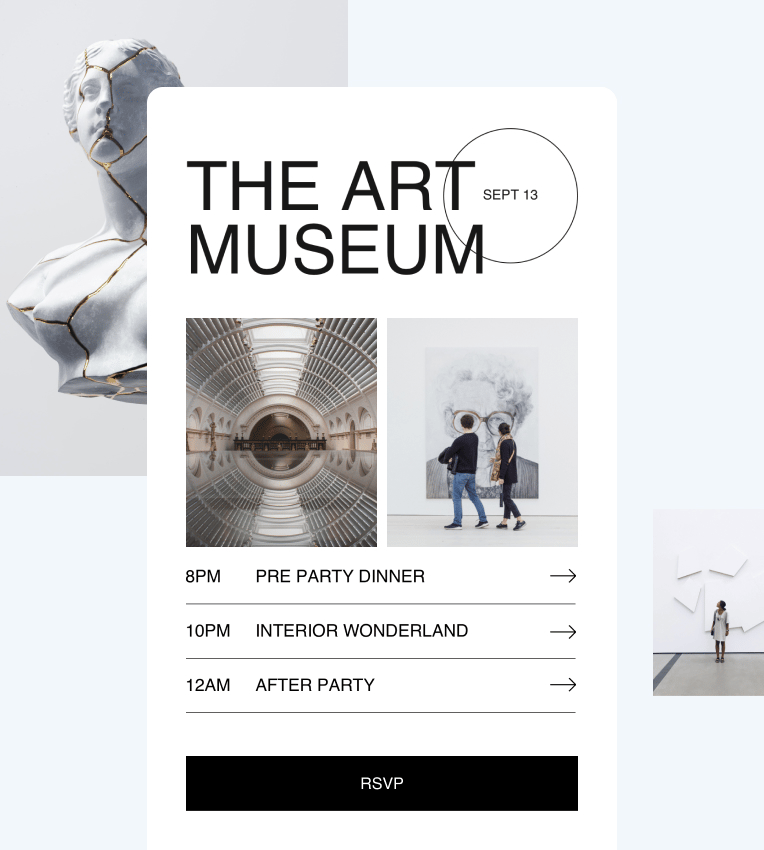
Design and send digital invitations
Physical invitations make sense for some upscale events and some types of guests, like VVIPs and dignitaries, but many events have made the switch from paper invitations to digital ones.
Event planners can use zkipster Events to design and send unlimited digital invitations. You can customize and upload your own HTML templates. You can choose your own colors, fonts, and images. You can customize all the details, include buttons and links to your social media pages and event website, and use our whitelabeling options to send invitations straight from your domain.
Read also: How to make sure your email invitations don’t go to spam
Track and collect consent forms, registration forms, and RSVPs online
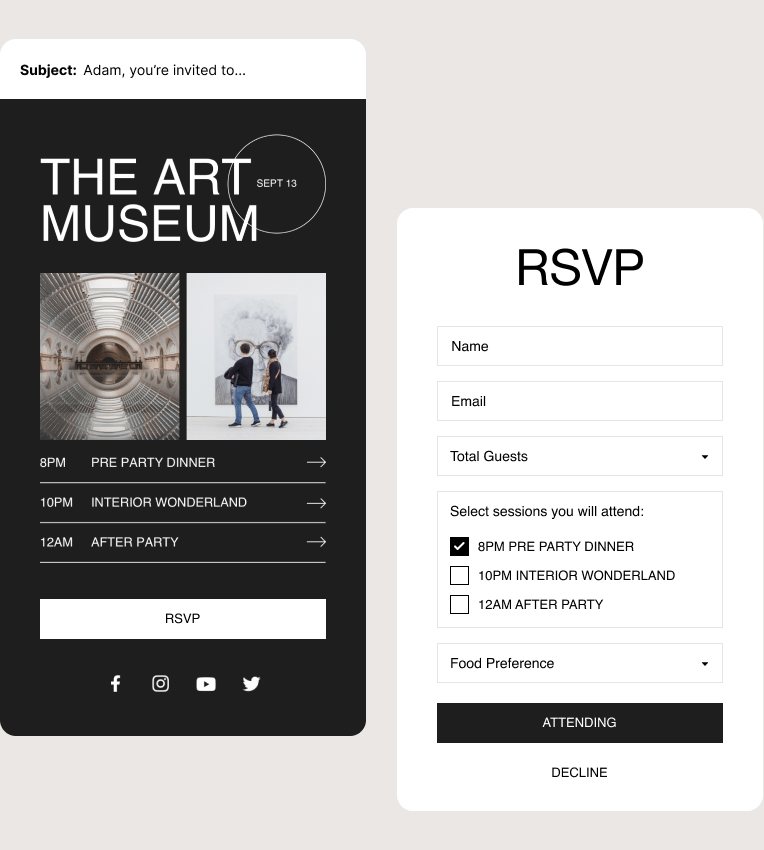
You can handle the entire process of tracking RSVPs, registration forms, consent forms, and other communications digitally without the need to pay for physical invites or postal deliveries. It’s also much easier and less time consuming to track RSVPs digitally as opposed to manually.
There’s an added bonus: you can see RSVP responses in real time, without having to wait for a member of your team to collect and input them into an RSVP list/confirmed guest list.
Event organizers can use zkipster Event Management Forms to collect RSVPs as well as e-signatures for event waivers and consent forms. A built-in Add to Calendar function for digital RSVPs also improves the attendee experience. Guests who plan to attend can add the event directly to their online calendar.
If you need to gather consent like photography waivers, or contact information, such as a guest’s phone number for sending a check-in message with their table number, you can do this on the app. It’s all instantly attributed to the specific guest with no need for paper forms or reconciling the information after the event.
Send digital communications
From exciting real-time updates to last-minute schedule changes, it’s always easier to communicate with guests digitally than manually. With zkipster Communications, you can ensure that guests see those important communications.
How?
Because zkipster Communications doesn’t just make it possible to email all your guests in a bulk mailing. You can send SMS and WhatsApp communications too, which have a 4x higher open rate than traditional emails.
zkipster Wallet Pass offers an added communication channel, allowing users to update the pass dynamically so that the latest event details appear directly in guests’ wallets. Users can also set up Location Based Messages to automatically send notifications when the guest is close to the venue. This eliminates the need for a paper ticket or print out.
Guest communications don’t end when the event ends either. In fact, the best event planners conduct post-event follow-up to collect feedback and gain valuable insight into the guest experience. Collecting digital feedback in the form of online surveys or email questionnaires is faster, more efficient, and more cost effective than distributing paper handouts or paper feedback forms at the event.
Learn more: Everything to know about sustainable event management
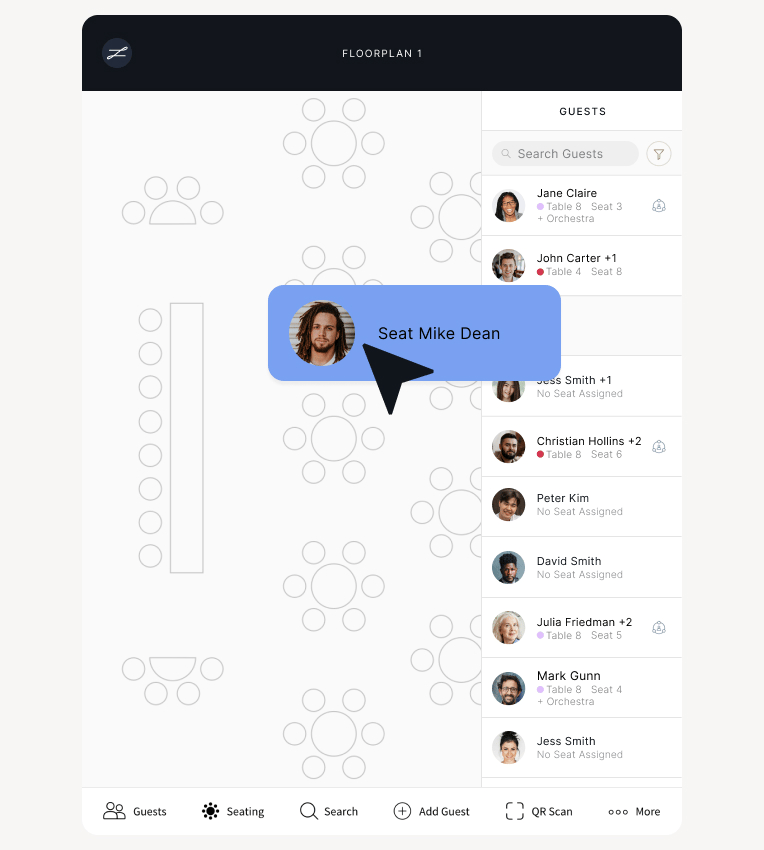
Design detailed floorplans and seating charts on your desktop
Venue floor plans, table layouts, and seating charts can all be created digitally.
Event planners can use zkipster Seating to create and collaborate on highly detailed floorplans on their desktop. You can upload floorplan images, add tables and seating, and create multiple layouts for events that have multiple sessions, event spaces, or different venues. Make as many adjustments as you want and collaborate on them in real time with members of your team.
In zkipster Seating, you can also generate Share a Table links to be shared directly with table hosts so that they can seat guests as they choose.
On event day, you can access Seating on the zkipster app, seamlessly communicating seating information to guests and stakeholders and making last-minute adjustments to your charts. Changes are reflected in real time, and automated seating options help save time and minimize stress.
Read also: How to plan an event seating arrangement that makes every guest feel comfortable
Make event check-in smooth and seamless
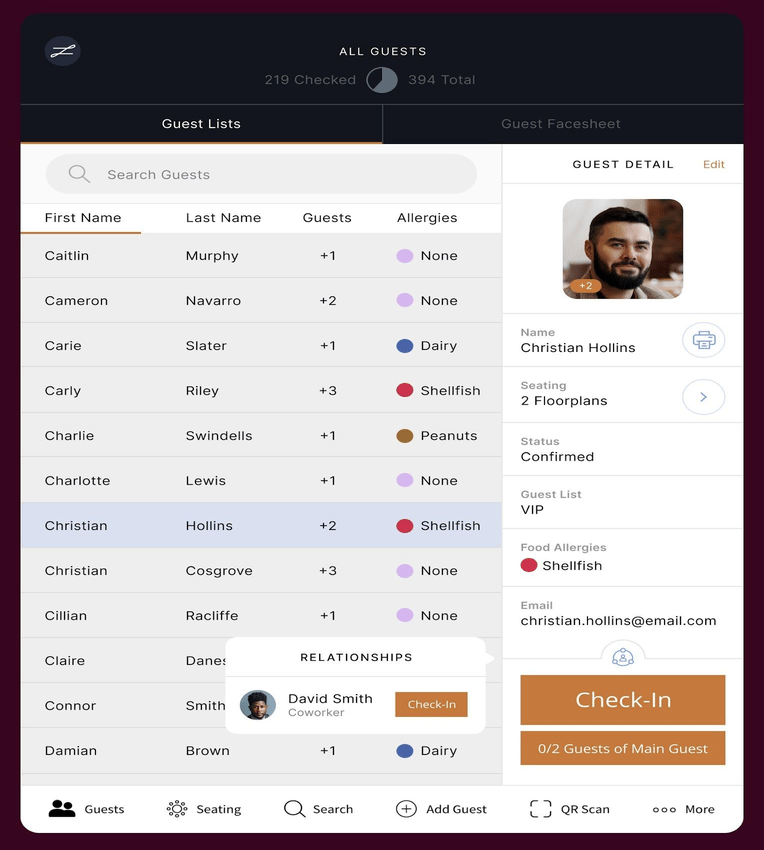
Digitizing the check-in process improves the guest experience and ensures real-time arrival updates. QR codes have replaced physical tickets for most events because they speed up onsite check-in, allow for self-check-in, reduce long queue lines, and provide real-time data on who is at your event.
While ticking arrivals off a paper list is inefficient and manual, it has one benefit: it’s immune to WiFi issues. We’ve designed the zkipster platform to allow for offline mode so that you never have to pull that paper guest list out.
With offline mode, all check-ins are saved locally on each device, and they can be resynced once a stable WiFi connection has been re-established. Online or offline, you can feel reassured that your check-in data will be accurate.
Digital tickets and wallet passes
QR codes can be attached to digital invitations or digital RSVP confirmations, but they can also be added as branded, customized passes with zkipster Wallet Pass. Designed for use with iOS and Android devices, Wallet Pass sends a custom digital pass to each guests’ Apple Wallet or Google Wallet. They are customizable to include the event’s logo, colors, and digital image, a QR code for easy scanning, and essential event information, like the event’s time and location, the guest’s seating assignment, and access level.
Reporting and data capture
Having the digital event data that comes from QR check-in codes also makes reporting much easier, as there’s no need for manual data entry or collation. You can instantly understand how your campaigns and events have performed and view and share reports.
Replace spreadsheets with a digital contact manager and guest list builder
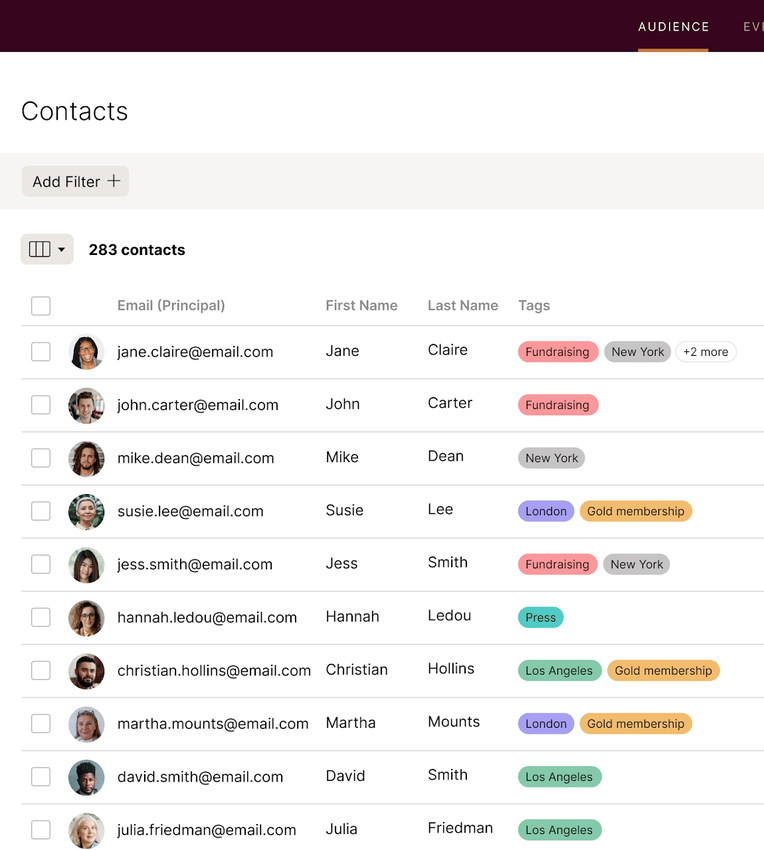
There’s no need to print and collate batches of guest list spreadsheets manually segmented by group, access level, or relationship to the host. You can do that digitally with zkipster Audience.
zkipster Audience is a contact manager and guest list builder that allows you to create color-coded tags and segmented guest lists such as VIPs, sponsors, stakeholders, top donors, volunteers, etc. An easy drag-and-drop feature lets you move guests from list to list or merge multiple lists into one, and powerful filtering helps you create nuanced guest lists.
Audience also helps you better manage all your contacts, better understand guest preferences, and track engagement so you can identify your most important contacts and better plan for future events.
More expert tips for going paperless
Going paperless is a process. Use these tips for a smooth transition while setting up your team for long-term success.
Review your current processes
Are you still using paper to draft floorplans and seating charts? Still using spreadsheets to manage guest lists? Still sending paper invitations or event tickets that could easily be issued in digital form?
Decide where going digital will be the most beneficial, whether that’s in one or all of these areas, and start making the shift now.
Thoroughly train your team on new processes
Make sure everyone is in the loop and understands how to use the technology. User-friendly event management platforms like zkipster make it easy for new users to learn and adopt.
Choose event technology that works seamlessly
You don’t want to burden your guests, clients, sponsors, or VIPs with QR codes that don’t work, emails that don’t get delivered or opened, or glitchy digital messaging. The platform you choose should be smooth and seamless.
FAQs
What is the environmental impact of going paperless at events?
Going paperless at events reduces paper waste and lowers the carbon footprint of your event. Fewer printed materials means less waste sent to recycling and landfills.
For these reasons, many professionals in the event industry have moved away from printed materials. While you may never be able to eliminate all printed event materials, making a few small changes to use less paper (such as switching to digital invitations and tickets) can have a significant environmental impact over time.
What are the biggest benefits of going paperless at events?
Going paperless saves time during the event planning process, it’s more cost effective than creating printed materials, it’s more convenient for guests, and it’s more sustainable.
Plus, if you use a cloud-based platform like zkipster, changes are saved automatically and in real time. You’ll never have to wonder which piece of paper contains the most recent version or worry about misplacing the piece of paper that details important changes.
Can going paperless at events save money?
Yes, going paperless at events can save money by eliminating printing, postage, and shipping costs. It also reduces the staff time spent on manual processes like collating guest lists and inputting RSVP data.
Can going paperless at events save you time?
Yes, going paperless at events saves significant time at every stage of the planning process. Event management software automates manual tasks like logging RSVPs, managing guest lists, and collating check-in data, all of which would otherwise require hours of manual work. For example, rather than manually reconciling who checked in after an event, you can use an app that collates data automatically to pull a complete report the moment the event ends.
Are there privacy concerns with going paperless?
Privacy concerns with going paperless at events depend on the platform you use. Look for platforms that use strong encryption methods and maintain GDPR compliance to keep guest, host, and sponsor data safe. zkipster, for example, uses strong encryption and is fully GDPR compliant.
What is the best way to organize and produce paperless events?
The best way to organize and produce paperless events is to use a dedicated event management platform. A platform like zkipster makes it easy to go paperless at every stage of the event planning process, allowing you to manage digital invitations, RSVPs, consent forms, seating charts, check-in, and guest communications all in one place.
Are most events paperless?
Many events now issue digital invitations and tickets rather than physical ones. However, luxury event organizers often use a combination of physical and digital materials, with printed invitations remaining the preference for officials, dignitaries, older guests, and certain events like weddings and exclusive galas. Most events still rely on some printed collateral such as escort cards, signage, and menus.
Going paperless improves sustainability and reduces environmental impact, streamlines your processes, and cuts costs by using digital over printed materials. Digital communications, digital tickets, and customizable wallet passes can also improve the guest experience by making every touchpoint faster and friction free, from registering an RSVP to scanning a wallet pass at check-in.
Going paperless is a win-win for event planners and guests, and zkipster can help you do it.